This glossary covers 100+ digital signage terms in plain English, grouped by category. General concepts, display tech, content, CMS, analytics, hardware, DOOH advertising, deployment and ops, industry standards, and emerging trends. Use it as your cheat sheet for RFPs, vendor calls, and staff training. Bookmark it. Come back when you hit a term you don't recognize.

General Digital Signage Terms
The basics you'll hear in every digital signage conversation. Whether you're evaluating vendors, pitching a project internally, or onboarding new team members, start here.
Digital Signage
Electronic displays showing content in environments like retail, hospitality, healthcare, and offices. The screens are managed remotely and can display anything from promotions to wayfinding to live data dashboards. Read the full digital signage definition.
DOOH (Digital Out-of-Home)
Advertising via digital screens in public spaces like malls, airports, highways, and streets. DOOH is a subset of digital signage focused specifically on advertising and audience reach. Learn more about DOOH advertising.
Retail Media Network (RMN)
In-store advertising screens at checkout counters, aisles, and high-traffic zones within retail environments. Retailers sell ad space on these screens to brands, creating a new revenue stream. See our retail digital signage guide.
Programmatic DOOH
Automated ad buying and placement on digital out-of-home screens using real-time data. Instead of manually booking screen time, advertisers use platforms that bid on and place ads based on audience, time, weather, and other triggers.
Wayfinding Signage
Interactive navigation systems in hospitals, malls, airports, and large buildings that help people find their way. Modern wayfinding uses touchscreens with searchable maps and can hand off directions to mobile devices. Read the wayfinding guide.
Call-to-Action (CTA)
Messaging that directs viewers to take a specific next step - scan a QR code, visit a website, ask about a product, or make a purchase. Effective CTAs are short, clear, and give the viewer a reason to act.
Proof of Play
Documentation confirming that specific content was displayed at the intended time and location. Essential for DOOH advertising where advertisers need verification that their ads actually ran as scheduled.
Proof of Concept (PoC)
A trial phase that validates a digital signage solution before full deployment. Typically involves installing a few screens to test hardware, software, content workflows, and integration with existing systems.
System-on-Chip (SoC)
A built-in computer within the display itself, eliminating the need for a separate media player. SoC displays are simpler to install but offer less processing power than dedicated external players. Compare SoC vs external players.
Managed Service
A subscription model where a third party handles installation, content management, monitoring, and maintenance of your digital signage network. You control the messaging and goals, the provider handles day-to-day operations.
Menu Board
A digital display showing menu items, pricing, and promos in restaurants, cafes, and QSR (quick-service restaurant) environments. Usually runs in portrait or landscape clusters behind the counter. The highest-ROI use case in digital signage when paired with dayparting and POS integration.
Self-Service Kiosk
An interactive touchscreen that lets customers complete transactions themselves: ordering food, checking in, printing tickets, or browsing product info. Kiosks reduce staff load and give customers a faster path to what they want.
Internal Communications Signage
Digital displays inside offices, factories, and warehouses used to reach employees. Covers company news, KPI dashboards, safety alerts, and recognition content. Different audience dynamics than customer-facing signage, because the same people walk past the screens every day.
Brand Touchpoint
Any moment or surface where a customer interacts with your brand. Signage is one. Your website is another. Good multi-channel strategy keeps brand voice consistent across all touchpoints, so a customer has the same experience online, in store, and on your screens.
Captive Audience
Viewers who are forced to stay in one place for a while, whether in a queue, waiting room, elevator, or commute. Captive audiences have higher dwell time and higher engagement rates, which is why signage in these environments outperforms signage in transient locations.
Dwell Environment
A physical space where viewers naturally pause (waiting rooms, lobbies, elevator banks, break rooms). Content in dwell environments can be longer and more detailed. Content in transient spaces like hallways has to be glanceable in two seconds or less.
Display Technology Terms
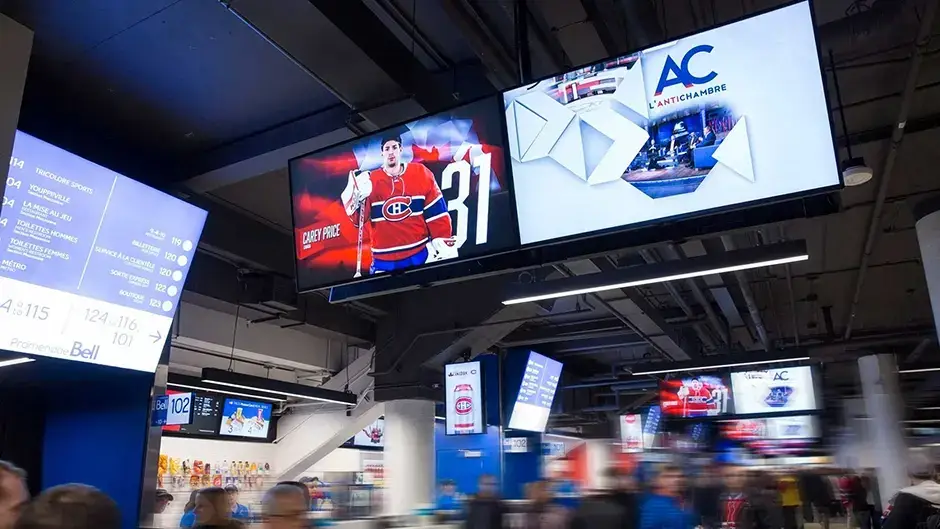
Display specs come up in every vendor call and RFP. Knowing what they mean, and which ones actually matter for your use case, saves you from overspending on specs you don't need.
Aspect Ratio
The proportional relationship between a screen's width and height. 16:9 is standard widescreen (landscape). 9:16 is vertical (portrait). Getting this wrong means your content will be stretched, cropped, or have black bars.
Screen Resolution
The number of pixels a display can show, measured as width by height. Common resolutions include 1080p (1920x1080), 4K (3840x2160), and 8K (7680x4320). Higher resolution means sharper images but matters most when viewers are close to the screen.
Pixel Pitch
The distance between individual LED lights on an LED display, measured in millimeters. Smaller pixel pitch means higher resolution and closer minimum viewing distance. A 1.5mm pitch display looks sharp up close while a 10mm pitch display is designed for viewers 30+ feet away.
Brightness (Nits)
How bright a display is, measured in nits (candelas per square meter). Indoor displays typically need 500 to 1,000 nits. Outdoor displays in direct sunlight need 2,500 nits or more. Under-specifying brightness is one of the most common hardware mistakes.
Contrast Ratio
The difference between the brightest white and the darkest black a display can produce. Higher contrast ratios make content easier to read and more visually striking, especially in environments with mixed lighting conditions.
HDR (High Dynamic Range)
Enhanced contrast and expanded color range technology that produces more realistic, vibrant images. HDR displays show brighter highlights, deeper blacks, and a wider spectrum of colors than standard dynamic range screens.
Viewing Angle
How far to the side viewers can stand and still see the display clearly. Wider viewing angles matter in spaces where people approach screens from different directions. Most commercial displays offer 178-degree viewing angles.
Video Wall
Multiple connected screens arranged to create one large unified display. Video walls are used in lobbies, control rooms, and retail environments where a single large screen would be impractical or unavailable in the required size.
Refresh Rate (Hz)
How many times per second the screen updates its image, measured in Hertz. Higher refresh rates (120Hz+) produce smoother motion for video content. 60Hz is standard for most digital signage applications.
Bezel
The border or frame around a display. For video walls, narrow bezels (under 2mm) create a more seamless viewing experience. Some displays are marketed as "bezel-less" though they typically still have a minimal border.
Orientation
Whether a display is mounted in portrait (vertical, 9:16) or landscape (horizontal, 16:9) position. The choice depends on content type, available space, and viewing context. Menu boards often use portrait. Video walls usually go landscape.
LCD (Liquid Crystal Display)
The most common display tech for digital signage. Uses a liquid crystal layer backlit by LEDs. Good brightness, wide color range, and big range of sizes. Most commercial displays you see in offices, retail, and menu boards are LCD.
LED Display (Direct View)
A display made of individual LEDs, not an LCD with LED backlighting. Used for video walls, outdoor signage, and huge indoor installations. Seamless, incredibly bright, and scalable to any size. Also called DV-LED. Pricier than LCD, but no bezels between panels.
OLED (Organic LED)
Each pixel produces its own light, so there's no backlight. Result: true blacks, infinite contrast, and ultra-thin panels. Used for premium signage, transparent displays, and flexible/curved applications. More expensive than LCD and more susceptible to burn-in from static content.
Mini-LED / Micro-LED
Two related technologies using very small LEDs. Mini-LED is an LCD with a much denser LED backlight for better contrast. Micro-LED is a direct-view tech using even smaller LEDs, competing with OLED for premium high-end displays. Micro-LED is where the industry is heading for top-tier visual quality.
Color Gamut
The range of colors a display can show, usually expressed as a percentage of a color standard (sRGB, DCI-P3, Rec.2020). 100% sRGB is fine for most signage. DCI-P3 coverage matters if you're showing professionally color-graded video or brand-critical imagery.
Color Temperature
How "warm" or "cool" the display's whites look, measured in Kelvin. 6500K is neutral daylight white, standard for most content. Warmer (lower K) has a yellow tint. Cooler (higher K) leans blue. Consistent color temperature across a video wall matters more than you'd think.
Frame Rate
How many video frames per second your content was made at. 24fps for cinematic, 30fps for most video, 60fps for smoother motion. Different from refresh rate, which is how often the screen can update. A 60Hz screen can display 24fps or 30fps content fine.
Luminance
The technical term for how much light the display emits, usually measured in nits (cd/m²). Same idea as brightness, more precise. You'll see it in spec sheets. Anything below 500 nits struggles in bright rooms. Outdoor displays need 2,500+.
Viewing Distance
How far the average viewer stands from the screen. Drives decisions about pixel pitch (for LED walls), resolution, and text size. Rule of thumb for text: viewing distance in feet divided by 10 equals minimum character height in inches. So a sign read from 30 feet needs 3-inch letters.
Burn-In (Image Retention)
When a static image stays on screen so long it gets "ghosted" into the panel. A real risk on OLED displays with static logos or menus. Most LCD commercial displays have anti-burn-in features. For signage running the same content 16 hours a day, check the panel's burn-in protection before buying.
Content and Content Management Terms
Content management is where most digital signage projects succeed or fail. Knowing these terms helps you evaluate CMS platforms and build workflows that keep your screens fresh.
CMS (Content Management System)
The software that controls what appears on your digital signage screens. A CMS handles content upload, scheduling, playlist management, user permissions, and remote monitoring. It is the dashboard of your entire signage operation. Explore our CMS software guide.
Cloud-Based Digital Signage
A system where content and controls are accessible via the internet from any device. Cloud-based platforms eliminate the need for on-site servers and allow teams to manage screens across multiple locations from a single dashboard. Learn about cloud-based signage.
Playlist
An ordered sequence of content items - images, videos, data feeds, and widgets - that play in a defined loop on a screen. Playlists can be scheduled to change by time of day, day of week, or triggered by external conditions.
Content Zones
Divisions within a single screen that display different content simultaneously. A retail display might show a promotional video in the main zone, a news ticker at the bottom, and current weather in the corner.
Dynamic Content
Content that automatically updates based on real-world data like weather conditions, news feeds, inventory levels, social media posts, or sensor inputs. Dynamic content keeps screens relevant without manual intervention.
Offline Mode
The ability for displays to continue showing content during internet outages using locally stored files. Critical for locations where network reliability is inconsistent. Good CMS platforms cache content on the media player for offline playback.
Localization
Adjusting content for local languages, cultural preferences, and regional relevance. A restaurant chain might localize menu items by region while a hospital shows directions in the languages most common among its patient population.
Multilingual Content
Content that can switch between multiple languages, either automatically on rotation or triggered by user interaction. Particularly important in diverse markets and in Quebec where French-language compliance is legally required. For broader regional buying considerations, see the Canadian DOOH market guide.
AI Personalization
Real-time content adaptation based on viewer demographics, behavior patterns, or environmental conditions. AI systems can detect audience characteristics anonymously and adjust messaging to match - showing different content to different audiences automatically.
Dayparting
Scheduling different content for different times of day. A restaurant shows breakfast in the morning, lunch at noon, dinner promos in the evening. Dayparting keeps content relevant across operating hours.
HTML5 Content
Interactive content built with modern web standards (HTML, CSS, JavaScript) that runs inside the CMS. Supports animation, data binding, and interactivity without needing plugins. The most flexible way to build custom signage content.
Widget
A small, reusable content module that does one thing: a clock, weather, news ticker, social feed, or data dashboard. Widgets drop into zones on a screen and update on their own. Most CMS platforms include a widget library plus APIs to build custom ones.
Template
A pre-designed layout with placeholder zones for images, text, and data. Templates speed up content creation (swap in new assets, push to screens) and keep branding consistent. Most CMS platforms ship with template libraries for common use cases.
Ticker
A scrolling text bar along the bottom or side of a screen, usually showing news, stock prices, or internal alerts. Widely used in financial, corporate, and transit signage. Keep tickers short or people stop reading them.
Overlay
Content that appears on top of other content, usually temporarily. Emergency alerts are the classic example: when triggered, they override whatever's playing across every screen. Overlays can also be used for countdowns, promos, or breaking news.
Data Feed
A stream of live data (prices, weather, sports scores, inventory, social posts) that pulls into signage content on its own. Data feeds usually arrive via XML, JSON, RSS, or an API. The foundation of any signage that looks live.
API Integration
A connection between your signage platform and an external system (POS, CRM, calendar, marketing tool, reservation software) so data flows between them. The more your signage connects via API, the less manual work goes into keeping it fresh.
RSS Feed
A simple, standard format for syndicating content (news headlines, blog posts, updates). Many signage tickers and widgets pull from RSS feeds because almost every news site publishes one. Low-tech, reliable, free.
CDN (Content Delivery Network)
A network of servers that store your content close to your players, so content loads fast and reliably. Matters more when you're pushing video to a lot of screens. Good cloud-based CMS platforms use a CDN automatically.
Approval Workflow
A review process built into the CMS that requires content to be approved before going live. Essential for regulated industries (banking, healthcare) where a mistaken rate or disclosure is a compliance issue. Also useful for any multi-team operation.
Emergency Messaging (CAP)
The ability to push critical safety or emergency content to all screens at once, overriding whatever's playing. CAP (Common Alerting Protocol) is the standard that lets signage systems receive alerts from authorities. Required in many schools, hospitals, and government facilities.
Failover Content
Backup content that plays if the primary content fails to load, the network goes down, or a data feed breaks. A screen showing a backup graphic is less embarrassing than a screen showing an error message. Set it up once, thank yourself later.

Audience Engagement and Analytics Terms
Measuring digital signage is where the industry has made the biggest strides in recent years. These terms help you understand what you can collect, how to measure effectiveness, and what to ask vendors about their analytics.
Audience Measurement
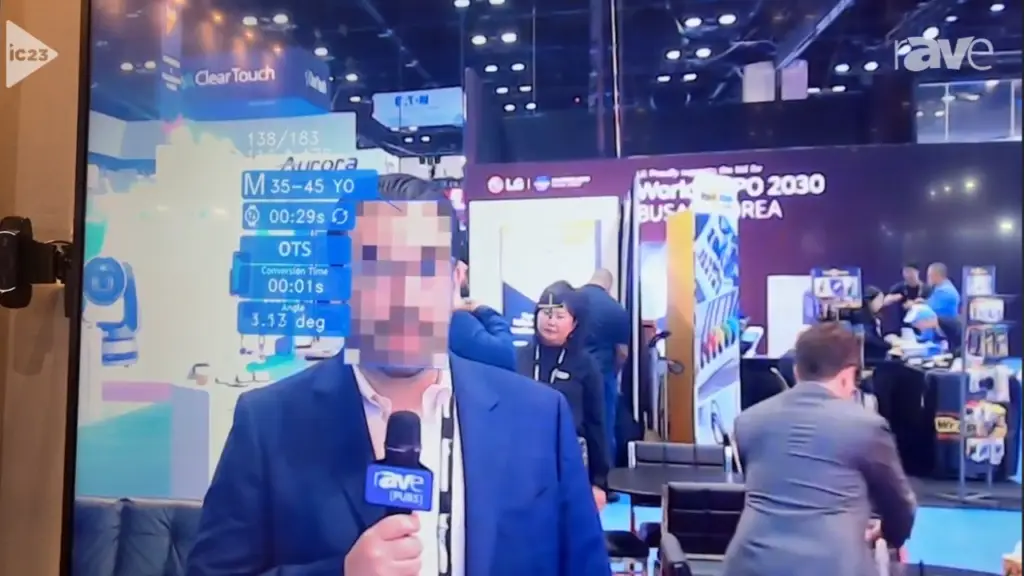
Anonymous tracking of viewer demographics (approximate age, gender) and how long they look at a screen. Modern systems use camera-based sensors that analyze without identifying individuals - no facial recognition, no personal data stored.
Dwell Time
The duration a viewer remains in front of a screen. Longer dwell times in waiting areas allow for more detailed content while short dwell times in corridors require punchy, instantly readable messaging.
Anonymous Video Analytics (AVA)
Computer vision technology that counts viewers and estimates demographics without identifying anyone. AVA provides aggregate data on who is watching, when, and for how long - all without storing facial images or personal information.
Heatmaps
Visual representations showing where viewers focus their attention on a screen. Heatmaps help content designers understand which zones, messages, and visuals attract the most engagement so they can optimize layouts.
Conversion Tracking
Measuring the actions viewers take after seeing digital signage content - website visits, QR code scans, in-store purchases, or product inquiries. Conversion tracking connects signage exposure to business outcomes.
Triggered Content
Content that changes automatically based on sensor inputs, time-based rules, or external data feeds. A retail display might show umbrella promotions when rain is detected, or a lobby screen might greet VIP guests by name when their appointment check-in triggers content.
A/B Testing
Comparing two versions of content against each other to see which performs better. You might test a static image vs. a video loop, or two headlines for the same promo. A/B testing takes the guesswork out of content optimization.
Impression
A single view of a piece of content, counted when someone is in front of a screen while it's playing. The primary measurement unit in DOOH advertising. Methods vary by network (mobile data, traffic counters, modeled estimates), which makes cross-network comparisons tricky.
OTS (Opportunity to See)
The number of people likely to have the chance to see a screen during a given period. Not the same as how many actually looked, just how many could have. The standard reach metric for outdoor and transit signage.
CPM / eCPM
Cost per mille (thousand impressions). The standard pricing unit in DOOH advertising. eCPM (effective CPM) is what you actually paid per thousand impressions when you factor in fill rate, audience quality, and placement. Lower isn't always better, context matters.
GRP (Gross Rating Points)
A measure of total ad exposures divided by target audience size. Originally from TV and still the main reach/frequency metric in DOOH. Useful for comparing campaign weight across markets, but less useful for digital-native advertisers used to clicks and conversions.
POS Integration
Connecting your signage CMS directly to your point of sale system so signage can show live pricing, trigger ads based on basket size, or measure sales lift from promoted items. The gold standard for retail signage ROI measurement.
Sales Lift
The increase in product sales that can be attributed to signage exposure. Usually measured by comparing sales before and after signage goes live, or by A/B testing locations with and without promoted content. Well-run retail deployments report 5-30% lift on promoted items.
Attribution
Figuring out which piece of marketing drove a specific sale or action. Harder for signage than for digital ads because signage viewers don't click. Solutions include QR codes, promo codes, pre/post measurement studies, and mobile-location matching.
Facial Detection (not Recognition)
Computer vision that detects a face is present and can estimate approximate age/gender, without identifying the person. Different from facial recognition, which identifies specific individuals. Facial detection is fine for aggregate analytics. Facial recognition has major privacy implications and may be illegal depending on jurisdiction.
Hardware and Installation Terms
Hardware decisions are permanent and expensive to reverse. Knowing these terms before you start evaluating equipment saves you from costly mistakes. Industry standards from AVIXA, the trade association for the professional AV industry, are a good reference point when comparing vendor specs. For a deeper dive, see the hardware guide.
Media Player
The computer device that processes and sends content to your display. Media players range from small dedicated boxes (like BrightSign) to full PC-based systems for complex interactive content. The player determines what codecs, resolutions, and integrations your system can handle.
All-in-One Display
A screen with an integrated media player, reducing cable clutter and simplifying installation. These are essentially SoC displays with everything built in. They work well for straightforward deployments but offer less flexibility than separate player and display setups.
Android Digital Signage
Media players running the Android operating system. Android players are typically more affordable than Windows-based alternatives and work well for standard signage applications. Many SoC displays use Android as their built-in operating system.
Power over Ethernet (PoE)
Technology that delivers both electrical power and network connectivity through a single Ethernet cable. PoE simplifies installation by reducing the number of cables needed, especially useful for smaller displays and kiosks in locations without nearby power outlets.
Video Wall Processor
A specialized computer that splits a single image or video across multiple screens in a video wall configuration. The processor handles the math of distributing content correctly across each display while accounting for bezel gaps.
Remote Device Management (RDM)
Software that lets you monitor, control, troubleshoot, and update media players remotely. RDM is essential for multi-location networks where sending a technician to every site for routine maintenance is impractical and expensive.
Screen Calibration
The process of adjusting display settings to ensure consistent color, brightness, and contrast across all screens in a network. Calibration is especially important for video walls where color differences between adjacent panels are immediately noticeable.
IP Rating
An Ingress Protection rating that indicates how well a device is sealed against dust and water. IP65 means fully dust-tight and protected against water jets - the minimum rating for outdoor digital signage. Indoor displays typically do not require IP ratings.
VESA Mount
A standardized mounting pattern (set by the Video Electronics Standards Association) that ensures compatibility between displays and mounting brackets. Most commercial displays follow VESA standards, which makes swapping screens easy.
Commercial-Grade Display
A screen built to run 16-24 hours a day, every day, for 5-7 years. Has better heat management, a stronger panel, business-use warranty coverage, and higher brightness than a consumer TV. Consumer TVs burn out in 12-18 months of continuous use. Not a place to save money.
HDMI
The most common cable for sending video and audio to a display. HDMI 2.1 supports 8K and high refresh rates. Fine for short runs (under 50 feet). For longer distances, use HDBaseT or AV-over-IP.
DisplayPort (DP)
Another digital video cable, common on PCs and professional-grade displays. Supports higher resolutions and refresh rates than older HDMI versions. You'll see it mostly in video wall processors and PC-based signage setups.
HDBaseT
A standard for sending uncompressed video, audio, control signals, and power over a single Cat6 Ethernet cable, up to 100 meters. The go-to option for running signage to screens further from the player than HDMI can reach.
AV-over-IP
Sending audio and video across a standard IP network (the same one your computers use) instead of dedicated AV cables. Increasingly common in larger deployments because it's more flexible and easier to scale than point-to-point cabling.
BrightSign
A widely-used brand of dedicated media players for digital signage. Known for reliability and purpose-built for signage (as opposed to general-purpose PCs). When vendors say "BrightSign-compatible" they mean their CMS runs on BrightSign hardware.
Fanless Player
A media player with no cooling fan, so no moving parts to fail. Runs silent and handles dust better. Important for players mounted inside walls, kiosks, or hot environments where cooling is a concern. Most commercial signage players today are fanless.
EDID (Extended Display Identification Data)
Info a display sends to the media player telling it what resolutions and refresh rates it supports. Usually handshakes on its own. When EDID breaks, your screen shows a black screen or wrong resolution. The first thing to check if a screen won't display at all.
HDCP (High-bandwidth Digital Content Protection)
Copy protection for digital video that runs over HDMI and DisplayPort. Prevents unauthorized recording of protected content. Irrelevant for most signage content, but can cause weird handshake issues between older players and newer displays.
VLAN (Virtual LAN)
A logically separate network that runs on the same physical infrastructure. Putting your signage on its own VLAN isolates it from corporate data and prevents signage traffic from eating bandwidth. Especially important in bank and healthcare deployments where security rules require separation.
Daisy Chain
Connecting multiple displays in sequence, so one cable from the player runs to the first screen, another cable from that screen runs to the next, and so on. Cleaner cabling, but each added screen adds risk: lose one and you may lose the whole chain.
Weatherproof Enclosure
A sealed housing that protects outdoor displays from rain, dust, and temperature extremes. The rating that matters is the IP rating (IP65 minimum for outdoor use). Enclosures add to cost but extend display life dramatically in harsh environments.

Emerging Technology and Trends
The industry is evolving fast. These are the technologies and trends moving from experimental to mainstream. Knowing them now gives you an edge when planning future deployments.
AI in Digital Signage
Machine learning and automation applied to content selection, audience analysis, and system optimization. Real AI goes beyond simple scheduling rules - it learns what content performs best with different audiences and adjusts automatically. Read our AI guide.
Green Digital Signage
Energy-efficient practices and technologies that reduce the environmental impact of digital signage networks. This includes low-power displays, automated brightness adjustment, scheduled shutdowns, and sustainable manufacturing practices. Learn about sustainable signage.
5G Connectivity
Ultra-fast cellular internet that enables instant content updates, high-resolution streaming, and reliable connectivity for remote installations where wired networks are unavailable. 5G makes deploying signage in temporary or hard-to-wire locations practical.
Digital Experience Platform
A system that integrates digital signage with websites, mobile apps, and customer databases to deliver consistent messaging across all touchpoints. These platforms treat screens as one channel in a broader omnichannel communication strategy.
E-Paper Displays
Ultra-low power screens that mimic the appearance of printed paper. E-paper is ideal for electronic shelf labels, menu boards, and information displays where content changes infrequently and power consumption needs to be minimal.
Transparent LED Displays
See-through LED screens that install on windows and glass surfaces without blocking the view behind them. Increasingly used in retail storefronts, museums, and architectural installations.
Generative AI Content
Content (images, video, copy) created by AI tools rather than a human designer. Increasingly used for routine promotional content, localized variants, and bulk template-based assets. Fast and cheap, but still needs human review for brand voice and accuracy.
Dynamic Creative Optimization (DCO)
A system that assembles ad creative in real time based on context (audience, weather, time, location, inventory). Instead of running one version, DCO runs hundreds of variants and picks the best fit for each moment. Big in programmatic DOOH.
Zero-Touch Provisioning
New players arrive at a site, get plugged in, and auto-configure themselves from the CMS without anyone manually setting them up. Essential for large rollouts where sending a tech to configure each device is impractical.
Holographic Displays
Screens that produce an image appearing to float in 3D space. Still mostly experimental and expensive, but showing up in high-end retail, auto showrooms, and museums. Don't confuse with "hologram fan" displays, which are spinning LED fans creating a similar illusion.
AR/VR Integration
Augmented reality (AR) overlays digital content on the real world through a phone or glasses. Virtual reality (VR) puts viewers in a fully digital environment. Neither replaces signage, but both are showing up as companion experiences, especially in retail and tourism.
Location-Based Targeting
Triggering content based on where a viewer is, using mobile location data, beacons, or GPS. Used in DOOH to match ads to the likely audience passing by a specific screen, and in smart signage that greets or routes customers based on where they are in a building.
Weather-Triggered Content
Content that changes on its own based on weather conditions. Sunscreen ads when it's sunny. Umbrellas when it rains. Hot beverages when it's cold. One of the highest-performing dynamic triggers in DOOH because the relevance is obvious to viewers.
Deployment, Operations & Business Terms
The language you'll hear in procurement, finance, and ops conversations. Every signage deployment lives or dies by these concepts, regardless of how good the tech is.
Total Cost of Ownership (TCO)
The real lifetime cost of a signage deployment, not just the upfront purchase. Includes hardware, software licensing, installation, content creation, support, electricity, and eventual replacement. The upfront quote is usually 20-30% of TCO over 5 years. See the cost guide.
Return on Investment (ROI)
What you get back from the signage, compared to what it cost you. Measured in sales lift, operational savings, experience improvements, or brand value. The ROI guide covers the formulas and benchmarks in detail.
Service Level Agreement (SLA)
A contract clause defining how quickly a vendor will respond to issues and how much uptime they guarantee. A "99.9% uptime SLA" sounds great until you realize that's still 8.7 hours of downtime a year. Read what's actually promised and what the remedies are if they miss it.
Uptime
The percentage of time your screens are working and showing the right content. Good signage networks run at 99%+ uptime. Most failures aren't hardware, they're content issues, network problems, or scheduling bugs. Worth tracking per-screen to catch the ones that go dark quietly.
KPI (Key Performance Indicator)
A metric that tells you whether signage is doing its job. Different goals need different KPIs: sales lift for retail, wait-time satisfaction for healthcare, print-savings for corporate. Picking the wrong KPI is worse than having no KPI.
Pilot Deployment
A small-scale test of a signage solution before rolling out network-wide. Usually one location or a few screens. Lets you shake out hardware, content, and workflow issues before they multiply across 50 sites. Always pilot before you scale.
Rollout
The planned expansion of signage across your network, usually in phases. A good rollout sequences site openings to allow for lessons learned, has a playbook for each site, and assigns local ownership. Bad rollouts try to install 50 sites at once and end up with 30 half-working ones.
Content Ownership
The specific person or team responsible for keeping each screen's content fresh. Without a named owner, content goes stale within weeks. The single biggest predictor of whether a signage deployment succeeds or fails.
Governance
The rules, approval workflows, and decision rights that keep a multi-location signage network from devolving into chaos. Who approves content. Who can push to which screens. What templates are required. Boring, essential, often skipped until something goes wrong. See the digital signage governance and standards guide for the full framework.
Stakeholder
Anyone with a vested interest in the signage project: IT, marketing, ops, facilities, finance, legal, store managers. The more you involve early, the fewer surprises later. The ones skipped tend to be the loudest once the screens are live.
Change Management
The process of preparing your organization (not just the tech) for a signage rollout. Training staff, writing documentation, updating processes, communicating with leadership. The tech part is usually the easy part.
RFP (Request for Proposal)
A formal document asking vendors to bid on your project, spelling out requirements, timelines, and evaluation criteria. A good RFP gets you comparable bids and strong vendor responses. A vague RFP gets you a pile of sales pitches you can't compare.
Industry Bodies & Standards
The organizations and standards that shape the digital signage industry. Worth knowing when you need a reference point for hardware specs, advertising measurement, or compliance.
AVIXA
The Audiovisual and Integrated Experience Association, the main trade body for the professional AV industry. Publishes standards, runs certifications (CTS), and hosts InfoComm, the biggest AV trade show. Good reference when evaluating installer qualifications.
Digital Signage Federation (DSF)
A non-profit trade group specifically for digital signage. Runs industry research, publishes best practices, and hosts the DSE (Digital Signage Experience) conference. Smaller than AVIXA but narrower focus on signage-specific issues.
IAB (Interactive Advertising Bureau)
The trade body that sets standards for digital advertising, including DOOH measurement. The IAB's DOOH measurement guidelines are the closest thing to a neutral standard in an otherwise fragmented market. IAB Canada publishes Canada-specific DOOH guidance.
POPAI / Shop!
Now called Shop!, the association for retail marketing and in-store environments. Publishes research on shopper behavior and in-store signage effectiveness. The source for much of the retail sales-lift data you see quoted in signage pitches.
ADA / Section 508
US federal accessibility rules. ADA applies broadly (private and public). Section 508 applies to federal agencies and anyone selling to them. For digital signage: contrast, font size, mounting height, display duration, and no flashing content. Non-negotiable in government and healthcare.
WCAG (Web Content Accessibility Guidelines)
The international standard for web accessibility, also applied to digital signage. WCAG 2.1 AA is the working target for most organizations. Covers contrast ratios, text sizing, alt text, and time limits for reading content.
HIPAA Compliance
US health privacy law. For digital signage in healthcare settings, it mostly means: don't show patient names or health info on public-facing screens. Straightforward in practice, but needs to be designed in from day one, not bolted on later.
OSHA (Occupational Safety and Health Administration)
US workplace safety agency. Relevant to signage in manufacturing and warehouses, where screens are used for safety reminders, incident counters, and compliance training displays. OSHA doesn't mandate digital signage, but it mandates the messaging signage often carries.
PCI DSS
The security standard for handling payment card data. For digital signage, mostly relevant if you're running signage on the same network as POS systems. A common reason to segregate signage onto its own VLAN.
GDPR / PIPEDA
Privacy laws in Europe (GDPR) and Canada (PIPEDA) that govern how personal data can be collected and used. For signage: anonymous analytics is usually fine. Anything tracking individuals requires disclosure and often consent.
10 Terms You Should Never Confuse
These are the pairs that trip up even experienced operators. Mixing them up in a vendor call or RFP leads to miscommunication, wrong purchases, or lost credibility.
DOOH vs. Digital Signage
DOOH is the advertising-focused subset of digital signage. Digital signage includes all electronic displays - internal communications, wayfinding, menu boards. DOOH specifically refers to screens used for advertising in public spaces.
Resolution vs. Screen Size
Resolution is the pixel count (how sharp the image is). Screen size is the physical measurement in inches. A 32-inch 4K display has more pixels than a 65-inch 1080p display. Size determines how big it looks; resolution determines how clear it looks.
Playlist vs. Schedule
A playlist defines what content plays and in what order. A schedule defines when that playlist plays - time of day, day of week, date range. You build playlists first, then schedule them to run at specific times.
Interactive vs. Touchscreen
Touchscreen is one input method for interactive signage. Interactive content can also respond to motion sensors, mobile phones, voice commands, QR codes, or gesture recognition. Not all interactive displays require physical touch.
Proof of Play vs. Proof of Performance
Proof of play confirms content was displayed at the scheduled time and location. Proof of performance measures whether that content actually achieved its goals - drove sales, increased engagement, or changed behavior.
Pixel Pitch vs. Resolution
Pixel pitch is the physical distance between LEDs on an LED display (measured in mm). Resolution is the total number of pixels. A smaller pixel pitch gives higher resolution for a given display size. They are related but not interchangeable.
CMS vs. Media Player
The CMS is the software - the platform where you upload, schedule, and manage content. The media player is the hardware - the physical device connected to the display that runs the content. You need both, and they are not the same thing.
Zone vs. Screen
A screen is the entire physical display. A zone is a section within that screen showing specific content. One screen can have multiple zones - a main content area, a ticker bar, a clock widget - each displaying different content simultaneously.
SoC Display vs. External Player
A SoC display has its media player built into the screen itself. An external player is a separate device connected to the display via HDMI or DisplayPort. SoC is simpler but less powerful. External players offer more flexibility and upgrade paths.
Cloud-Based vs. On-Premise CMS
Cloud-based CMS runs on remote servers accessed via the internet. On-premise CMS runs on your own local servers. Cloud offers easier access and updates. On-premise offers more control and works without internet. Many modern deployments use a hybrid approach.
- Learn the foundational terms first. CMS, SoC, DOOH, and proof of play come up in every conversation.
- Match display brightness to your environment. 500 to 700 nits indoor, 2,500+ outdoor.
- Know the difference between a CMS (software) and a media player (hardware) before talking to vendors.
- DOOH is advertising-focused digital signage, not a separate technology.
- Resolution matters most when viewers are close to the screen. Don't overspend on 4K for distant viewing.
- TCO is 3-5x the upfront quote. Budget for the full lifecycle, not just hardware.
- Consumer TVs burn out in 12-18 months of continuous use. Commercial-grade is not where to save money.
- Bookmark this glossary and reference it during vendor evaluations and team training.
Jordan Feil is an independent digital signage consultant with 17 years of industry experience. He has worked as a product manager at Navori Labs, a technical account manager, and a global marketing director before founding JAF Digital Consulting. He works with operators, vendors, and integrators on strategy, software selection, network audits, and go-to-market. No commissions, no vendor relationships that shape what he recommends.