
Cloud-based digital signage means your CMS runs on servers you do not have to touch, maintain, or upgrade. You manage everything through a browser. Cloud is now the default for new deployments, costs are lower over a 3-5 year window, and the security is typically stronger than most internal IT setups. If you are still running on-prem servers for signage, the question is not whether you will move to cloud - it is whether you will do it strategically now or desperately later.
If your digital signage network still needs a dusty backroom server and a guy named Brad to reboot it every time something crashes, you have a problem. Cloud-based digital signage is no longer some fancy, nice-to-have tech for big brands with bigger wallets. It has become the baseline for how smart, scalable, future-proof digital signage actually gets done.
This guide covers what cloud-based signage actually is, what it costs compared to on-premise, why the market is moving this direction, and how to make the switch without breaking everything.
What Is Cloud-Based Digital Signage?
"Cloud-based" means your digital signage software runs on remote servers managed by the vendor. You access it through a web browser or app, and your content lives securely online - not in a server rack guarded by Brad.
What that gets you:
- Instant remote access to screens from anywhere
- Real-time content updates pushed to any screen on the network
- Automatic software upgrades and security patches
- Disaster recovery baked right in
There is no hardware to maintain on your end (beyond the screens and players themselves). No servers to patch. No Brad dependency.
On-Premise vs. Cloud CMS: The Actual Differences
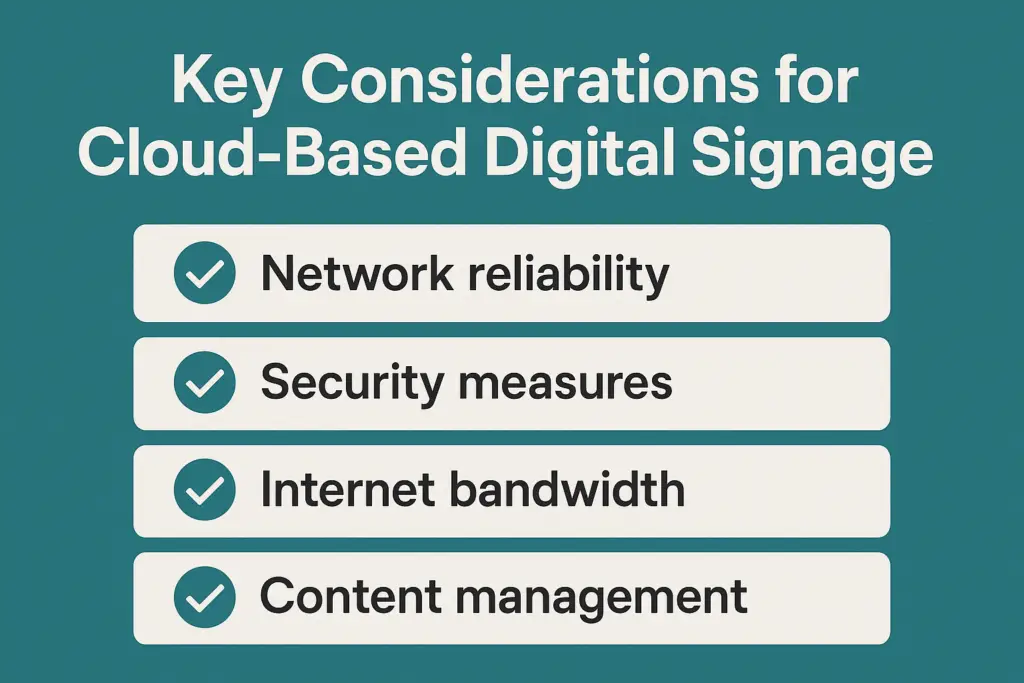
Most comparisons stop at "cloud is cheaper and easier." That is true often enough, but it hides the decisions that bite later: where your data sits, what happens when a link goes down, and who gets the call at 2 a.m. Here is the side-by-side that matters when you are choosing a platform.
| Difference | On-Premise CMS | Cloud-Based CMS |
|---|---|---|
| Where the software runs | A server you own, in your building or data centre | The vendor's cloud, shared with other customers |
| Who installs and patches it | Your IT team, on your schedule | The vendor, continuously. You get release notes, not a choice |
| How players connect | Over your LAN or VPN, to an internal address | Outbound HTTPS to the vendor. Works on any connection, including cellular |
| When the internet drops | Nothing changes if the server is local to the site | Players keep looping cached content. You cannot push changes until the link is back |
| Where content and data live | On your hardware, under your policies | In the vendor's cloud, usually in a named region. Check the contract |
| Licence model | Perpetual licence plus annual maintenance, commonly 15 to 20% of the licence | Subscription per screen, billed monthly or annually |
| Upgrades | Versioned. You pick the timing, and skipped versions pile up | Rolling. Features arrive when the vendor ships them |
| Adding a location | Network access first, sometimes a local server or edge node | Ship a player, plug it in, claim it in the portal |
| Integrations (POS, data feeds, SSO) | Inside your network, so internal systems are easy to reach | Through APIs. Internal data has to be exposed or synced outward |
| Who is on the hook at 2 a.m. | You | The vendor, to whatever the SLA says |
Two things worth knowing before you treat this as a binary. First, a handful of platforms sell the same CMS both ways, so with those the choice is purely about hosting and not about features. Second, "hybrid" usually means a cloud CMS with an on-site caching server for sites with poor connectivity, not a genuine middle option. If a vendor says hybrid, ask exactly what runs where.
Benefits of Cloud-Based Signage by Industry
Retail Chains
National retailers update promotions across 500+ stores in under an hour, instead of spending days coordinating local techs.
Healthcare
Hospitals push emergency messages and patient information updates instantly without requiring on-prem IT interventions.
Quick-Service Restaurants
Franchise owners roll out breakfast menu updates systemwide by 5:00 a.m., avoiding lost sales from outdated displays. See QSR menu boards for the deeper playbook on dayparting, pricing, and promo logic.
Universities
Campus communications update across multiple buildings in minutes, from event announcements to emergency alerts.
Airports and Transit
Flight info and advertising updates are managed centrally, even when operations span multiple cities.
Corporate Offices
Dashboards, room schedules, and internal comms deploy to every floor from one login. No IT tickets required.
Cloud vs. On-Premise: The Cost Comparison
| Cost Factor | On-Premise | Cloud-Based (SaaS) |
|---|---|---|
| Server hardware | $20,000+ | $0 |
| Annual software maintenance | $5,000+ | Included in subscription |
| IT staff overhead | $80,000+/year | Minimal or none |
| Monthly subscription | N/A | $200 - $500/month |
| Scalability | New hardware per location | Instant, add screens in minutes |
| Security updates | Manual, IT-dependent | Automatic, vendor-managed |
| Downtime risk | Single point of failure | 99.99% uptime SLAs typical |
For a deeper look at total costs, see the full digital signage cost breakdown.
Why Cloud-Based Is Winning
The digital signage market has spoken, and the verdict is overwhelming. Cloud is now the default choice for new deployments, leaving on-prem systems looking like fax machines in an email world.
1. Speed and Scale Without Headaches
Want to launch a promo across 500 locations tomorrow? Good luck manually patching every player onsite. With a cloud CMS, you push updates globally with a few clicks.
2. Cost Savings (and Sanity Savings)
Forget expensive servers, in-house IT maintenance, and upgrade cycles. With cloud digital signage, you are paying for software-as-a-service. Predictable monthly costs, no surprise hardware bills.
3. Remote Management Is Mandatory Now
If you cannot troubleshoot and update signage remotely, you are asking for operational nightmares. Cloud makes remote management the default, not a premium add-on.
4. Automatic Updates and Security
Modern cloud platforms roll out security patches and features automatically. No more scheduling maintenance windows or waiting for IT to push updates. If your current platform is not doing this, it might be time for a software audit.
5. Smarter, More Dynamic Content
Cloud platforms integrate more easily with third-party tools - CRM systems, weather feeds, inventory data, audience analytics. That means your screens can show the right content to the right audience at the right time, automatically.
Three Myths About Cloud-Based Signage (and Why They Are Wrong)
Reality: Most major cloud CMS providers offer 99.99% uptime SLAs. If your on-prem server fails, you are out of luck until IT can fix it. Cloud platforms have redundancy built in across multiple data centers.
Reality: Leading cloud CMS systems have stronger security certifications and active monitoring than most internal networks. Bank-grade encryption, redundant backups, and privacy compliance (GDPR, CCPA) come standard. Reputable cloud providers are often safer than most companies' internal IT setups.
Reality: Factoring maintenance, IT labor, and system upgrades, cloud-based typically wins in a 3 to 5 year TCO (Total Cost of Ownership) analysis. The math is not close.
Cloud vs. On-Premise: How to Choose
Cloud makes the most sense for most organizations because updates, security, and scaling are handled by the vendor instead of your IT team babysitting servers.
On-premise can still be right for extremely locked-down environments or where you already have serious IT capacity and strict data policies.
| Choose Cloud If... | Choose On-Premise If... |
|---|---|
| You manage multiple locations | Data must stay on internal networks (compliance) |
| IT resources are limited | You have a dedicated IT team with capacity |
| You need fast, remote content updates | Internet connectivity is unreliable at your locations |
| Predictable monthly costs matter | You prefer one-time capital expenditure |
| You want automatic security updates | You need full control over update timing |
The real question is not what is trendier. It is which model your team can actually maintain for the next five to seven years.

How to Future-Proof Your Signage Network
- Choose a cloud-first CMS. Vet your software provider. Make sure it is truly SaaS, not some ancient tool duct-taped to a web UI.
- Prioritize open APIs. You are going to want integrations later. Platforms like Samsung VXT and ChromeOS-ready systems are showing how flexible signage should work.
- Focus on remote device management. SignageOS and similar platforms are making multi-vendor, multi-location management radically easier.
- Build security in, not on. Choose solutions with encryption, user access controls, and SOC 2 certification if possible.
- Plan for AI and automation. Emerging CMS platforms integrate audience analytics, content triggers, and real-time personalization.
- Demand scalability. Start with 10 screens? Fine. But choose systems that can handle 10,000 without blinking.
Having worked directly with global CMS providers like Navori and X2O Media through major technological shifts - from Flash deprecation to HTML5 adoption, from on-prem dominance to cloud-first architecture - I have seen firsthand how quickly the "impossible" becomes standard practice. Cloud-based signage is following the exact same trajectory.
If you are weighing a move off an on-premise CMS and want the decision made on your own inventory rather than a vendor demo, the Migration Readiness Assessment is built for that call.
Getting Started: 5 Steps to Going Cloud-Based
- Audit your current setup. Inventory your hardware, software, and costs. Know what you are working with before you plan the move.
- Set measurable goals. Speed of content updates, cost savings, reduced IT tickets - pick the metrics that matter to your organization.
- Research true cloud-first CMS providers. Not every platform claiming to be cloud is actually cloud-native. Use the platform finder to narrow your options, or read more in the cloud vs. self-hosted comparison from Navori.
- Pilot a few locations. Do not roll out everything at once. Test with 2 to 5 locations, work out the kinks, then scale.
- Create a realistic migration plan. Account for training, content migration, and the overlap period where both systems run in parallel.
There is no shortage of cloud-based CMS options, but picking from a feature grid is a great way to regret your choice in a year. JAF Digital Consulting is platform agnostic and specializes in helping you shortlist and test the right software, with deep experience in Navori and other leading platforms. We match capabilities to your IT reality, content workflow, and growth plans.
Final Thought: Adapt or Get Left Behind
Your customers are moving faster. Your competitors are already upgrading. The reality is simple: businesses still running their digital displays on outdated systems are losing ground every day.
Modern digital signage is not just about putting screens in public spaces anymore. It is about creating effective content that connects with people the moment they walk through your doors. It is about having a digital signage solution that is so user friendly, your team can update display content in minutes, not hours.
The best digital signage software today runs on cloud-based systems with reliable infrastructure that does not crash during your busiest hours. Whether you are managing one digital sign or hundreds across multiple locations, the right platform makes it feel effortless.
- Cloud-based digital signage means your CMS runs on vendor-managed servers. No local servers, no Brad dependency.
- Cloud is now the default for new deployments. It is the baseline, not a luxury.
- Over a 5-year TCO analysis, cloud typically saves $150,000+ versus on-premise setups.
- Major cloud CMS providers offer 99.99% uptime SLAs with bank-grade encryption.
- On-premise still makes sense for highly restricted environments with dedicated IT capacity.
- Start with an audit, pilot 2-5 locations, then scale. Do not try to migrate everything at once.
- Choose cloud-first, API-friendly platforms that can scale from 10 to 10,000 screens.