Montreal digital signage has three challenges most other cities don't: OQLF language rules that require French to be clearly dominant, temperature swings from -25C to +35C that kill consumer-grade hardware, and borough-specific permit rules that vary wildly across the island. Hardware that costs 30% more upfront saves 200% in service calls over three years.

Why Montreal Is Different
Every city has its quirks when it comes to digital signage. Montreal has three that will derail your project if you don't plan for them from day one. These aren't minor inconveniences. They're hard constraints that shape every decision from hardware to content strategy.
Language Compliance
The Charter of the French Language applies directly to digital signage. French has to be clearly dominant in size and visibility on every public-facing display. This isn't a 50/50 layout. French has to lead. The OQLF enforces it, and fines are real.
Climate Challenges
Temperature swings from -25C to +35C create freeze-thaw cycles that kill consumer-grade hardware in a single season. You need commercial gear rated -30C to +50C minimum. Anything less is a service call waiting to happen.
Permit Variations
Each borough has different size limits, brightness rules, and placement rules. What flies in Saint-Laurent won't work in Plateau-Mont-Royal. Don't assume a permit approved in one borough transfers to another.
These three factors also tangle with each other in ways that catch out-of-town vendors every time. A display enclosure that handles the cold but wasn't designed for bilingual content workflows creates bottlenecks. A permit application that ignores OQLF rules gets sent back. Knowing how all three work together is what separates a successful Montreal deployment from an expensive headache.
OQLF Compliance Requirements
The Office quebecois de la langue francaise isn't optional, and it isn't something you deal with after the screens are installed. Language compliance has to be baked into the project from the first design meeting.
The core rule is simple: public signs have to be in French, with other languages allowed only when French is clearly dominant. In practice, French text has to be visibly larger, more prominent, and structurally first on every screen the public sees.
Here's what compliance looks like for digital signage:
- Design French-first from the start. Don't build in English and then translate. Start with French and build the layout around it.
- Build templates that prevent slip-ups. Your CMS templates should enforce French dominance by default so individual content updates can't break compliance.
- Approve in both languages. Every piece of content should go through a review that confirms French is dominant before it goes live.
- Test with native speakers. Machine translation isn't good enough. Awkward phrasing or grammar mistakes on a public display reflect badly on your brand and can draw OQLF attention.
The most common mistake I see is treating OQLF compliance like a checkbox. Companies design content in English, translate it, and try to make both versions fit. The result is layouts where French and English feel equal, which isn't compliant. French has to lead. Start there.
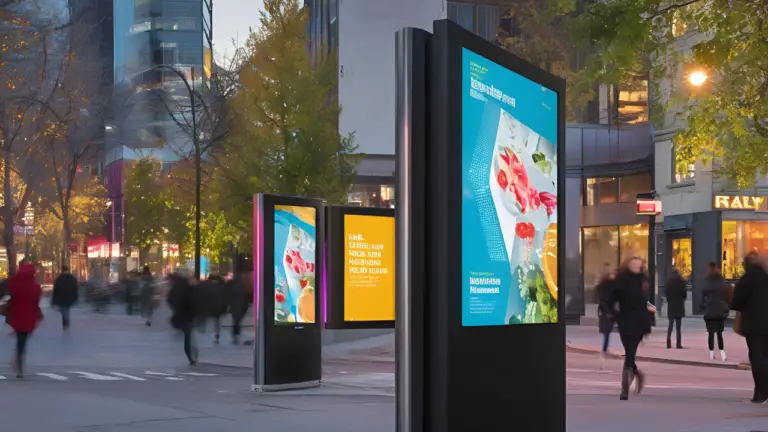
Bilingual Content Strategy
Common mistakes:
- Running French and English on completely separate screens
- Word-for-word translation that ignores cultural nuance
- Treating English content as an afterthought crammed into leftover space
- Using automated translation without native speaker review
Best practices:
- Lead with French visually and structurally on every screen
- Give English adequate space - cramped English text looks unprofessional
- Use icons, numbers, and universal symbols to reduce text volume in both languages
- Centralize approval so no content goes live without bilingual review
- Test with bilingual native speakers who understand both Quebec French and English idiom
The bilingual challenge in Montreal isn't just about compliance. It's about clarity. Your signage has to come across clearly in both languages without feeling cluttered or forced. The best Montreal deployments I've worked on treat bilingualism as a design constraint that makes the content better, not worse. When you're forced to be concise in two languages, you end up with cleaner, sharper messaging.
Pick your CMS carefully. The right software makes bilingual content routine. The wrong one turns every update into a manual process that invites errors.
Hardware for Quebec Climate
Consumer-grade displays rated 0C to 40C will fail in Montreal. Not a matter of if, a matter of when. One freeze-thaw cycle can crack an LCD panel. Here's what you actually need for exterior and semi-exterior installs:
- Displays: Commercial-grade, rated -30C to +50C minimum operating temperature
- Enclosures: Heating and cooling, sealed against moisture but vented to manage condensation
- Materials: UV-resistant housings and anti-glare coatings, especially for south-facing installs
- Mounting: Structural mounts built for snow and ice load. Standard mounts aren't rated for Quebec winter weight.
The upfront cost gap between consumer and commercial hardware is about 30%. That sounds like a lot until you add up a single winter service call: truck roll, tech time, replacement parts, and the downtime while your screens sit dark. Over three years, commercial-grade hardware that costs 30% more upfront saves 200% in service calls versus consumer gear that was never designed for this climate.
Interior installs need a look too. Loading docks, lobbies with heavy door traffic, and vestibules see temperature swings that stress consumer displays. If the screen is anywhere near an exterior door or in an unheated space, spec it for cold weather. For a full breakdown of display options, see the hardware guide.
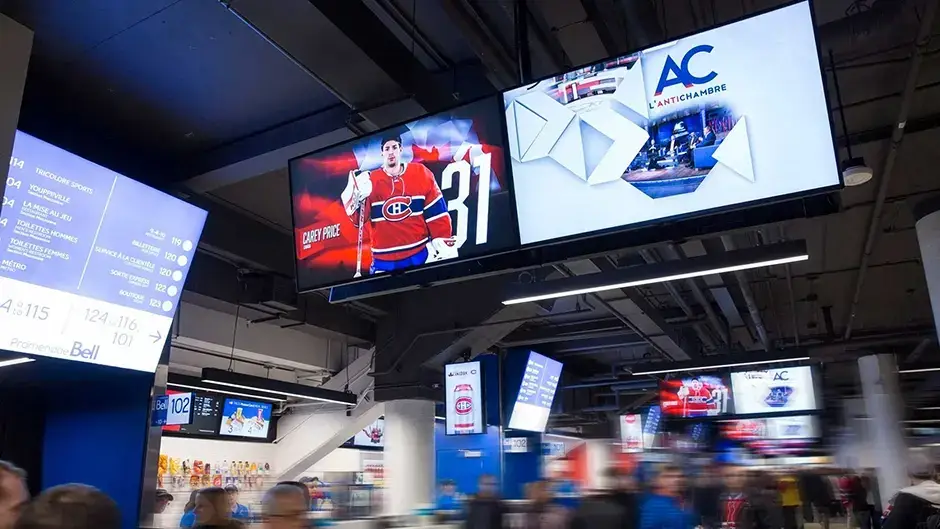
Permits and Bylaws
Montreal's permit landscape is one of the most fragmented in Canada. The island is split into boroughs, and each has its own signage rules. There's no single set of rules that applies everywhere.
For any exterior digital signage install, you'll usually need to deal with:
- Zoning check — confirming digital signage is allowed at your specific location
- Size and height limits — maximum display dimensions and mounting height, which vary by borough
- Placement rules — setbacks from property lines, streets, and neighbouring buildings
- Brightness rules — maximum brightness levels, often different for day and night
- Landlord and property approvals — especially for leased commercial spaces
- Municipal permit applications — formal submissions with drawings, specs, and sometimes public consultation
Borough-Specific Considerations
The differences between boroughs aren't small. Ville-Marie has different rules than Ahuntsic-Cartierville. The Plateau is much stricter than Saint-Laurent on commercial signage. Old Montreal has heritage rules that can limit or ban digital displays in certain zones.
The practical advice: check with your specific borough before you commit to any outdoor location or sign any lease that depends on signage rights. A site that looks perfect for visibility may be impossible for permits. I've seen projects delayed by months because the permit research happened after the lease was signed instead of before.
Best Deployment Locations
Montreal's geography and layout create some uniquely great and uniquely bad spots for digital signage. Knowing which is which before you commit saves time and money.
RESO (Underground City)
Climate-controlled, high foot traffic year-round. No weather concerns. One of the best indoor signage environments in North America, especially as the Montreal smart city initiative continues to modernize urban infrastructure.
Metro Stations
Captive audience with dwell time. High visibility during commute hours. Requires STM coordination and approval.
Sainte-Catherine Street
Montreal's main commercial corridor. Heavy pedestrian traffic year-round. Signage here gets eyes but requires Ville-Marie permits.
Downtown Office Towers
Lobby and elevator signage with professional audience. Interior installation avoids weather concerns entirely.
Suburban Power Centers
DIX30, Carrefour Laval, and similar retail destinations. High traffic, often more permissive signage bylaws than central boroughs.
Airports and Hotels
Traveller-facing signage with strong DOOH advertising potential. Bilingual requirement aligns naturally with tourism audience. Inside the property, the priorities are different; see what actually works in hotel digital signage.
Locations to Avoid
Not every high-visibility spot is a good signage location. Be cautious with:
- Quiet residential streets - low foot traffic and strict borough regulations make ROI nearly impossible
- Small storefronts with limited frontage - the display-to-storefront ratio looks disproportionate and can trigger bylaw issues
- Locations without a plan for regular content updates - a stale screen in a high-traffic area does more brand damage than no screen at all
- Sites with poor viewing angles or heavy glare - south-facing windows without anti-glare treatment become unreadable for half the day
Choosing a Vendor
Montreal's quirks mean not every signage vendor is set up to deliver here. Before you sign a contract, ask these six questions and pay close attention to how they answer.
- Do you have OQLF experience? A vendor who has never dealt with Quebec language law will learn on your dime. Ask for specific examples of bilingual deployments they've done.
- Can you show hardware that has survived multiple Quebec winters? Ask for references. Actual installs you can visit or verify, not spec sheets. References from Toronto or Vancouver don't count.
- Do you help with permits? A good Montreal vendor knows the borough landscape and can guide you through the application process. A vendor who says "permits are your problem" isn't wrong, but they're not very useful either.
- Is your CMS vendor-neutral or locked in? Proprietary platforms that only work with one vendor's hardware create long-term lock-in. Make sure you understand the software landscape before you commit.
- Do you offer content creation and bilingual strategy? Hardware without a content plan is expensive wall art. The best vendors include content strategy in the engagement.
- What does post-install support look like? Montreal weather creates ongoing maintenance needs. Understand the SLA, response times, and what's covered before you sign.
Typical Project Process
A well-run Montreal signage project follows a structured process. Skipping steps, especially the early ones, is how projects end up over budget and behind schedule.
- Clarify goals. Define the specific problems your signage will solve. Vague goals like "increase brand awareness" aren't actionable. Concrete goals like "cut front-desk language-related inquiries by 40%" are.
- Assess locations and audience. Survey each site for viewing angles, lighting, power access, and network. Understand who will see each screen and what they need at that moment.
- Check permits and bylaws. Research borough-specific rules for every location before you commit to hardware or sign leases. This step alone can save months of delays.
- Design bilingual content strategy. Build your French-first framework, set up approval workflows, and create templates that enforce OQLF compliance by default.
- Pick CMS and hardware. Choose your software and hardware based on your content strategy and site needs, not the other way around.
- Coordinate install. Schedule around weather windows for exterior work. Interior installs are more flexible but still need coordination with building management and tenants.
- Monitor and measure. Track performance against the goals you set in step one. If a screen isn't doing its job, adjust the content or rethink the placement.
- Plan ongoing content updates. Assign content owners, set refresh schedules, and build a sustainable workflow that keeps screens fresh without burning out your team.
| Installation Type | Typical Timeline | Key Variables |
|---|---|---|
| Interior (single location) | 4-6 weeks | Network readiness, content preparation, building access |
| Exterior (single location) | 2-4 months | Borough permits, weather window, electrical work |
| Multi-location with permits | 3-6 months | Multiple borough applications, coordinated rollout, content scaling |
The timeline difference between interior and exterior projects is almost entirely driven by permits and weather. If you are planning an exterior installation, start the permit process as early as possible - ideally three to four months before your target launch date.
- Design French-first from day one - retrofitting translations fails OQLF inspection.
- Commercial-grade hardware rated -30C to +50C is non-negotiable in Quebec.
- Check borough-specific bylaws before committing to any outdoor location.
- Hardware that costs 30% more upfront saves 200% in service calls over three years.
- Interior installations take 4-6 weeks; exterior with permits can take 3-6 months.
- Test bilingual content with native speakers before launch.
Jordan Feil is an independent digital signage consultant with 17 years of industry experience. He has worked as a product manager at Navori Labs, a technical account manager, and a global marketing director before founding JAF Digital Consulting. He works with operators, vendors, and integrators on strategy, software selection, network audits, and go-to-market. No commissions, no vendor relationships that shape what he recommends.