Most digital signage projects fail not because the technology is bad, but because the planning was. After nearly two decades of auditing rollouts, I keep finding the same warning signs. If you spot them early, you can fix them. If you ignore them, you will waste $50K+ and end up with screens nobody uses.
I have been auditing digital signage projects since before most of today's CMS platforms existed. And the pattern is always the same. Someone buys screens, picks software, sets a launch date, and then six months later calls me because the whole thing is falling apart.
The problems are almost never about the technology. They are about the decisions - or lack of decisions - made before a single screen got mounted on a wall.
Here are the ten red flags I look for every single time I walk into a digital signage audit. If you spot even two or three of these in your own project, take it seriously. They tend to compound fast.
The Warning Signs
These are the issues I find over and over again. They show up in small deployments and enterprise rollouts alike. The scale changes, but the mistakes do not.
1 No Clear Content Strategy
Everyone loves the flashy mockups. The demo reel looks amazing. The vendor's pitch deck is full of gorgeous screens showing gorgeous content. But when I ask who handles creating, updating, and approving content week after week, the room goes quiet.
That silence is the single biggest predictor of failure I have found in 17 years of doing this work.
Without a content plan, screens become stale fast. The launch content runs for months. Staff stops paying attention. Customers stop noticing. And eventually someone asks why the company is paying monthly software fees for screens that show the same slides from last quarter.
Ask these questions before you buy anything: Who owns content? What is the update schedule? What happens when the marketing lead quits? If you cannot answer all three, you are not ready to buy screens.

2 Choosing Software Based on Price Alone
This one makes me want to pull my hair out. Companies pick free software or the absolute cheapest option without spending ten minutes thinking about what they actually need the software to do.
That "free" CMS ends up costing more in headaches, downtime, and duplicate effort than a proper platform would have cost in the first place. I have seen teams waste hundreds of hours working around the limitations of software they picked because it was cheap, not because it was right.
Has the team tested the software with real content in a real scenario? Not a vendor demo with perfect sample content - an actual test where your people try to do the things they will need to do every week. If not, you are gambling. And the house usually wins.
A proper software selection process looks at workflow fit, not feature count.
3 Ignoring Network Requirements
Great hardware and great content will not help you if the network cannot handle it. I cannot count the number of times I have walked into a location where screens are spinning endlessly, buffering, or showing error messages because nobody planned for bandwidth.
Shared networks with POS systems or guest wifi routinely deprioritize signage traffic. So when the store gets busy - exactly when you need those screens working - they choke. The content sits in a queue while the network handles everything else first.
Is there dedicated network capacity for your signage? If signage is sharing bandwidth with point of sale, security cameras, and guest wifi, it will always be the lowest priority. That is not a technology problem. That is a planning problem.
4 Hardware Selected in Isolation
Hardware chosen based on spec sheets alone with zero consideration for where it will actually be used. This is one of the most expensive mistakes I see, and it happens constantly.
The brightest screen on paper might be completely unreadable in direct sunlight by a window. The fanciest media player might fry in a hot kitchen. The thinnest display might not survive being bumped by a cleaning cart three times a week.
Has this gear been tested in conditions similar to where it will actually live? If the answer is no, you are making a very expensive guess. And I have seen those guesses go wrong often enough to know that choosing the right hardware requires on-site evaluation, not just a spec comparison spreadsheet.
5 No Plan for Ongoing Management
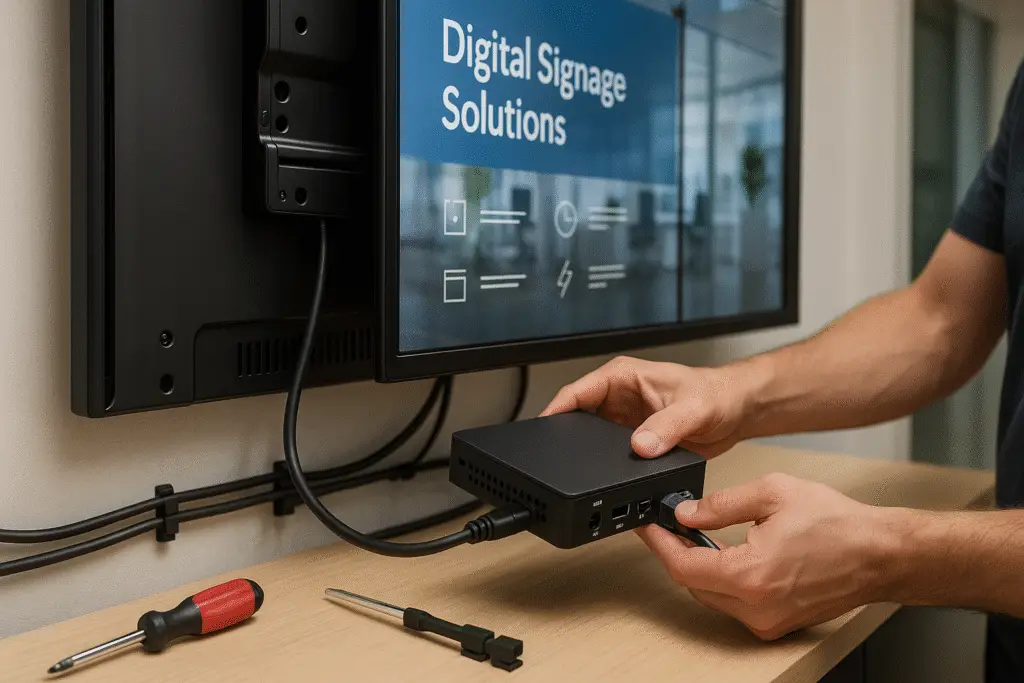
Projects planned as one-time installations. Somebody writes a check, the screens go up, everyone shakes hands, and then... nothing. No one budgets for cleaning screens. No one schedules firmware updates. No one plans for hardware replacement when a player dies two years in.
When nobody owns it, the system slowly breaks down. It is not dramatic. It is just a slow slide into irrelevance. One screen goes dark and stays dark for three weeks. Content expires and nobody removes it. A player reboots and nobody notices it is stuck on the boot screen for a month.
Good workflow design means assigning clear ownership from day one. Someone has to own the system, and that someone needs time in their actual job description to do it.
6 Unrealistic Timeline Expectations
Launch dates picked to impress leadership, not based on actual production needs. I see this all the time. Someone promises the board that screens will be live for a big event or a store opening, and then the entire project gets compressed into a timeline that guarantees problems.
Rushed launches skip testing. They skip training. They skip content review. They skip everything that separates a successful deployment from an embarrassing one.
Is there time for a soft launch? The best projects I have seen always build in a quiet testing period before the big reveal. That buffer is where you catch the ugly surprises - the content that looks wrong on the actual screen, the player that overheats in the afternoon sun, the wifi that drops when the building is full.
7 Feature Creep Without Purpose
Projects that keep adding touchscreens, wayfinding, social feeds, live data, mobile handoffs, and video walls without a clear reason for any of it. I call this "conference demo syndrome" - someone saw something cool at a trade show and now it has to be part of the project.
More features mean more complexity. More complexity means more failure points. More failure points mean more support calls, more downtime, and more frustrated staff who have to manage a system that does twelve things poorly instead of three things well.
Do these features solve real problems? If you cannot explain in one sentence why a feature exists and who it serves, it should not be in the project. Keep it simple. You can always add features later once the foundation works.
8 No Success Metrics Defined
Goals like "modernize our communications" or "enhance the customer experience" are nice sentiments. They are also completely useless for measuring whether your signage investment is working.
Without metrics, there is no way to tell if the system is delivering value. You cannot improve what you do not measure. And when budget season rolls around, the projects without proof are the first to get cut.
Before you launch, define what success looks like in numbers. Increased foot traffic to promoted areas. Higher conversion rates near screens. Reduced time to communicate policy changes. Pick something measurable and track it from day one. For an eight-point check you can run three months in, see the 90-day pressure test for new deployments.
9 Vendor Lock-in Concerns
Systems built around proprietary formats, hardware lock-in, or vendors with no exit strategy. This is the one that burns people years after the initial purchase, and by then it is too late to fix cheaply.
If the vendor disappears or hikes prices, you are stuck. If their proprietary player dies and they do not make it anymore, you are stuck. If you want to switch CMS platforms but all your content is trapped in a format only their system can read, you are stuck. In 2026, STRATACACHE customers watched exactly this play out when the company was broken up and its Scala platform was sold to a new owner.
Ask your vendor these questions before you sign anything: What happens to my content if I leave? Can I export my data? Do you support standard media formats? What is the migration path if I choose a different platform? If they get defensive about any of these questions, that tells you everything you need to know. For the full playbook on sizing and defusing this exposure before it bites, see how to de-risk a one-vendor network.

10 Skipping the Pilot Phase
Going straight to a full rollout without testing in the real world first. This is the red flag that amplifies every other red flag on this list. Because a pilot is where you would have caught the content problem, the network issue, the hardware mismatch, and the workflow gap.
Pilots catch the ugly surprises early when they are cheap to fix. Without one, you risk scaling a broken process across every location, and then fixing it costs ten times what it would have cost to get it right in a pilot.
Every project needs a pilot. Pick one or two locations. Run the system for real, with real content, real users, and real conditions. Give it at least 30 days. The things you learn in that period will save you more money than almost any other decision you make in the entire project.
What Good Projects Look Like
After auditing hundreds of deployments, the projects that succeed tend to share a common set of characteristics. None of these are complicated. They just require someone to care enough to plan properly.
Clear Content Strategies
Defined roles, approval workflows, and update schedules that exist before a single screen gets purchased. Someone owns the content and has the time to manage it.
Purpose-Driven Technology
Hardware and software chosen for specific use cases, not based on price alone or the longest feature list. The tools match the team that has to use them daily.
Realistic Timelines
Launch dates based on actual production needs with buffer for testing and training. No one is rushing to impress a board with a half-baked deployment.
Dedicated Network Infrastructure
Network capacity designed specifically for signage load. Not sharing bandwidth with every other system in the building and hoping for the best.
Measurable Success Metrics
Success metrics aligned with business objectives from day one. The team knows what "working" looks like and tracks it consistently.
Built-in Flexibility
Systems designed to adapt and grow over time. No vendor lock-in, standard formats, and the ability to change direction without starting from scratch.
If your project checks most of these boxes, you are in good shape. If it does not, the gaps are worth addressing now - before they turn into expensive problems later. Organizations like the International Sign Association publish resources on industry standards and vendor vetting that can help you benchmark your project. A vendor-neutral consultant can help you close those gaps without the bias of someone trying to sell you hardware or software.
Bottom Line
Most signage failures are not because the tech is bad. It is usually bad planning, unclear goals, or unrealistic expectations. The screens work fine. The software does what it is supposed to do. But the decisions around them - who owns content, how the network is set up, whether anyone planned past launch day - those are what make or break a deployment.
If you spot a few of these red flags in your project, the good news is you can still fix them. That is the whole point of catching them early. The projects that end badly are the ones where people saw the warning signs and kept going anyway.
Whether you are in the early planning stages or already mid-rollout and feeling uneasy, it helps to get an outside perspective. I have been doing this long enough to know where the bodies are buried, and I do not sell hardware or software, so you get honest analysis without the sales pitch. Learn more about the fundamentals of digital signage or take a look at what trends are shaping the industry right now.
If something feels off with your project, book a discovery call.
- Most signage failures stem from planning problems, not technology problems.
- A content strategy must exist before a single screen gets purchased.
- Software should be chosen by the people who use it daily, not just IT.
- Network infrastructure needs dedicated capacity for signage.
- Every project needs defined success metrics tied to business outcomes.
- Pilot phases catch expensive problems before they scale.
- Vendor lock-in is avoidable if you plan for flexibility from the start.
Jordan Feil is an independent digital signage consultant with 17 years of industry experience. He has worked as a product manager at Navori Labs, a technical account manager, and a global marketing director before founding JAF Digital Consulting. He works with operators, vendors, and integrators on strategy, software selection, network audits, and go-to-market. No commissions, no vendor relationships that shape what he recommends.